
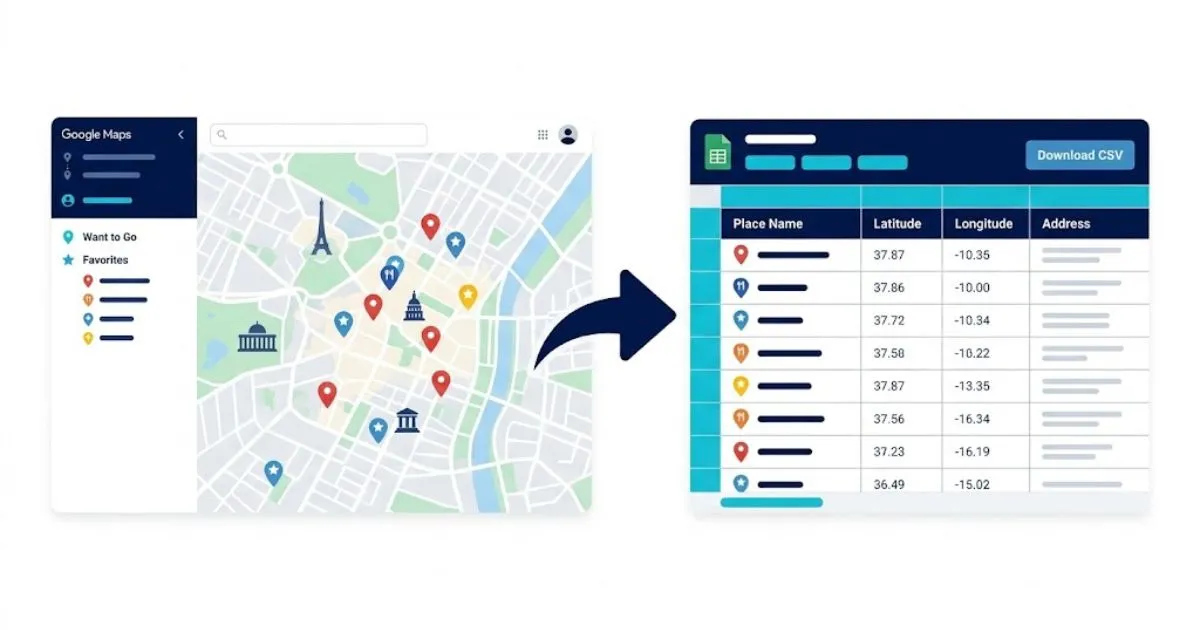
Export Google Maps Saved Places to CSV
Convert your Google Maps starred locations, favorite places, and custom lists into a clean CSV spreadsheet. Free, instant, and 100% private — all processing happens in your browser.
Upload Your Google Takeout File
Drop your Saved Places.json or any list CSV file from Google Takeout
How To Export Google Maps Saved Places to CSV
Access Google Takeout
Navigate to takeout.google.com and sign in to your Google account that has your saved places.
Select Maps Data
Click "Deselect all", then scroll down and enable "Maps (your places)" for starred locations. Also enable "Saved" for custom lists.
Download Your Data
Click "Next step" and follow the prompts to export. Google will email you a download link when ready.
Extract ZIP File
Download and extract the ZIP file. Find "Saved Places.json" in the Maps folder or CSV files in the Saved folder.
Upload to This Tool
Click "Choose File" above and select your Saved Places.json or any list CSV file from the extracted folder.
Download Your CSV
Review the parsed data in the preview table, then click "Download CSV" to save your spreadsheet-ready file.
Why Export Google Maps Saved Places to CSV?
Organize in Spreadsheets
Open your saved Google Maps locations in Excel, Google Sheets, or any spreadsheet app for easy sorting, filtering, and organization. If you publish those places on a website, generate LocalBusiness structured data for them in seconds.
Use case: Sort restaurants by rating, filter places by country, or create trip-specific spreadsheets from your starred locations.
Migrate to Other Map Apps
Use the CSV data to import your saved places into other mapping services like Apple Maps, OsmAnd, Sygic, or any GPS application.
Use case: Switching from Google Maps or need offline navigation for a trip — export once and import everywhere.
Backup Your Places
Create a permanent backup of all your starred locations and custom lists. Never lose your carefully curated Google Maps saved places collection.
Use case: Protect years of saved restaurants, travel spots, and favorite locations from accidental deletion or account issues.
Search & Filter Places
Google Maps has no search function for saved places. With CSV data in a spreadsheet, you can instantly search, filter, and find any location.
Use case: Find that restaurant you saved 3 years ago by searching the name or address in your spreadsheet.
Trip Planning & Sharing
Export your Google Maps travel lists to CSV and share them with friends, family, or travel companions in a clean, readable spreadsheet format. Running a business? You can also export your Google reviews to CSV the same way.
Use case: Share a curated list of "Best Restaurants in Tokyo" from your Google Maps with your travel group.
100% Private & Secure
This tool processes your Google Maps data entirely in your browser. No data is uploaded to any server, ensuring complete privacy of your location information.
How it works: JavaScript reads your file locally, converts it in-browser, and downloads the CSV directly to your device.