

Twitter Thread Formatter: Split Long Text Into Perfect Tweet Threads
Sharing long-form ideas on X (formerly Twitter) means working within the 280-character limit—and that can turn a simple thought into a frustrating copy-and-paste marathon. Whether you’re a content creator breaking down a tutorial, a marketer promoting a product launch, or a thought leader sharing insights, manually splitting your text into tweet-sized chunks wastes time and invites mistakes.
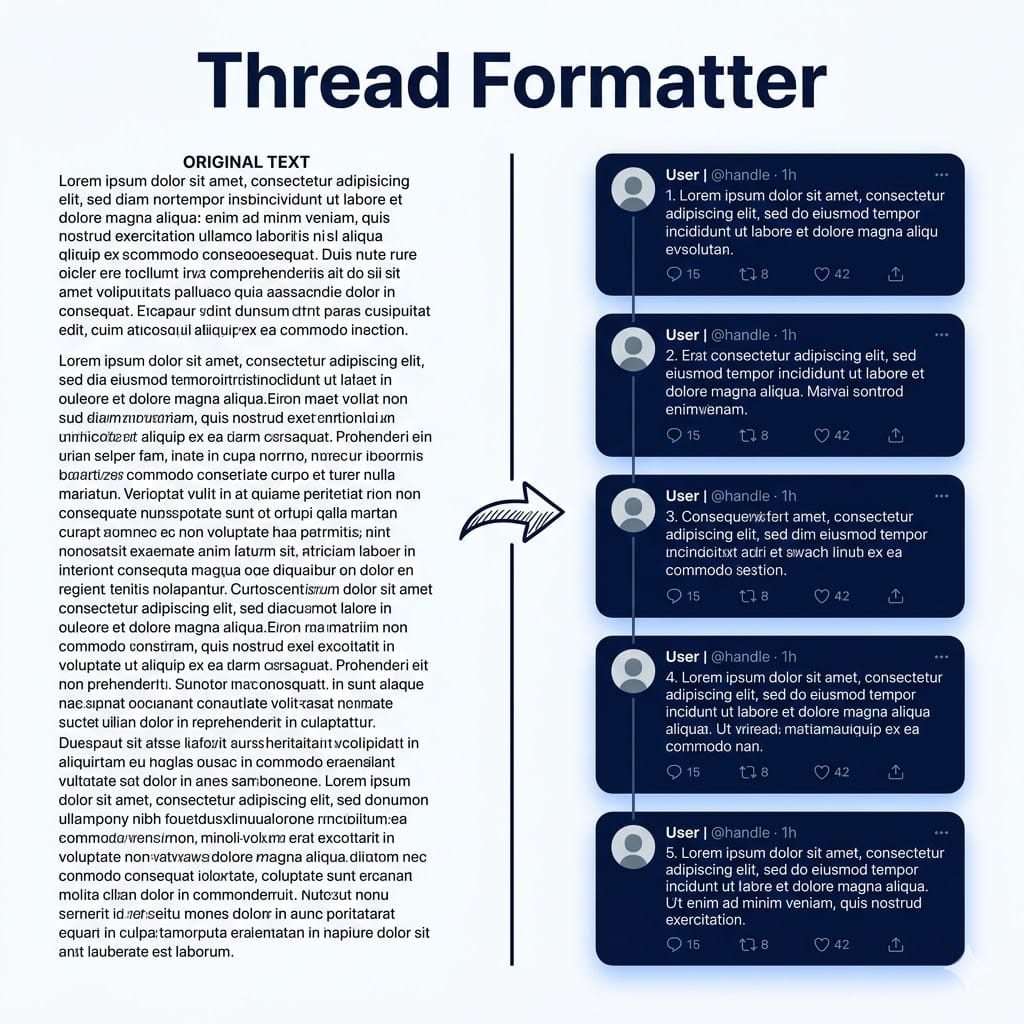
The CyberTrickz Twitter Thread Formatter solves this instantly. Paste your long text, and our free tweet splitter automatically divides it into numbered, character-perfect posts ready to publish as an X/Twitter thread. No account required, no data stored—everything runs directly in your browser.
Thread Formatter
Split long text into perfect X/Twitter threads
Paste your text above to see it formatted
into a ready-to-post thread
We build free browser-based tools every month. No spam, just tool drops.
How to Split Text Into Twitter Threads
Using this thread formatter takes just three steps. First, paste or type your long-form content into the text input area. The tool accepts anything from a short paragraph to a full article. Second, customise your settings—toggle thread numbering on or off, and choose whether to preserve paragraph structure or let the tool split by sentences for maximum efficiency. Third, review the formatted thread preview, then copy individual tweets or the entire thread with one click.
The intelligent splitting algorithm respects sentence boundaries, so your tweets always end at natural break points rather than cutting words in half. When thread numbering is enabled, the formatter automatically reserves space for the “(1/5)” counter so your actual content never exceeds the 280-character limit.
Key Features of the CyberTrickz Tweet Splitter
Smart Sentence-Aware Splitting: Unlike basic character-count splitters, this tool analyzes sentence boundaries to ensure each tweet reads naturally. Your audience gets coherent thoughts, not chopped-up fragments.
Automatic Thread Numbering: Enable the “(1/n)” format that readers recognize and trust. The numbering tells your audience exactly how long the thread is, encouraging them to read through to the end.
Real-Time Character Counter: Each tweet card displays a circular progress indicator showing exactly how close you are to the 280-character limit, with color-coded warnings at 90% and over-limit.
Paragraph Preservation Mode: Toggle this on to maintain your original paragraph structure. The formatter will keep double line breaks as natural tweet boundaries rather than splitting purely by sentence length.
One-Click Copy: Copy individual tweets for posting one at a time, or grab the entire formatted thread to paste into scheduling tools like Buffer, Hootsuite, or TweetDeck.
100% Browser-Based: Your text never leaves your device. There are no servers involved, no accounts to create, and no data collected—complete privacy by design.
Who Uses a Twitter Thread Formatter?
Content Creators & Writers: Convert blog posts, newsletter editions, and articles into X threads to repurpose your content across platforms and reach new audiences.
Marketers & Social Media Managers: Format product announcements, campaign narratives, and educational content into professional threads that drive engagement and shares.
Journalists & Reporters: Break down complex stories into accessible thread formats that readers can follow tweet by tweet.
Developers & Educators: Share coding tutorials, technical explanations, and how-to guides as structured threads that are easy to bookmark and reference.
Thought Leaders & Entrepreneurs: Build your personal brand by turning long-form insights into viral thread content that positions you as an authority in your field.
Why X/Twitter Threads Outperform Single Tweets
X’s algorithm treats threads differently than standalone tweets. Each tweet in a thread creates a new engagement opportunity—replies, likes, and retweets on any individual tweet signal to the algorithm that your content is substantive. This means threads consistently get wider distribution than single posts.
Threads also have a much longer effective lifespan. While a single tweet may peak within 15–30 minutes, a well-structured thread can continue generating impressions for days or even weeks as readers discover it through search, bookmarks, and shares. For creators and brands focused on building topical authority, threads are one of the most effective organic content formats on the platform.
Tips for Creating High-Performing Twitter Threads
Hook your reader in tweet one. Your first tweet is the make-or-break moment. Use a bold claim, a compelling question, or a clear promise of value to stop the scroll. Include your primary keyword early.
Keep each tweet focused on one idea. Resist the urge to cram multiple points into a single tweet. Let the thread format do the work—each tweet should advance your narrative by one clear step.
Use numbering to set expectations. The “(1/7)” format tells readers exactly what they’re committing to. Threads with 3–7 tweets tend to perform best for engagement.
End with a call to action. Your final tweet should invite engagement: ask readers to bookmark the thread, share it, or visit a link for more. Phrases like “Bookmark this for later” consistently outperform passive endings.
Add visuals where possible. After formatting your thread here, consider adding images, screenshots, or charts when posting. Tweets with visuals get significantly more engagement and time-on-tweet.
Q: What is a Twitter Thread Formatter?
A: A Twitter Thread Formatter is a tool that automatically splits long text into tweet-sized segments that fit within X’s 280-character limit. It handles numbering, character counting, and smart sentence-aware splitting so you can post a professional-looking thread without manual formatting.
Q: Is this tweet splitter tool free to use?
A: Yes, the CyberTrickz Twitter Thread Formatter is completely free with no limits. There is no account signup required, no software to install, and no daily usage caps. It runs entirely in your browser.
Q: Does the tool store or collect my text?
A: No. All processing happens locally in your browser. Your text never leaves your device and is not transmitted to any server. This makes the tool safe for sensitive content, unpublished articles, and confidential messaging.
Q: What numbering format does the thread use?
A: The tool uses the widely recognized “(1/n)” format, such as “(1/5)”, “(2/5)”, and so on. This is the most popular numbering style on X because it tells readers exactly how long the thread is, encouraging them to read to the end. You can also disable numbering entirely if you prefer clean tweets.
Q: Can I preserve my paragraph structure?
A: Yes. Toggle the “Preserve paragraphs” option to maintain your original paragraph breaks as tweet boundaries. When disabled, the tool splits by sentences for maximum content efficiency.
Q: How does the character counter work?
A: Each tweet card shows a circular progress indicator with the exact character count. The indicator turns yellow when you’re within 10% of the limit and red if a tweet exceeds 280 characters. When numbering is enabled, the space needed for the counter (e.g., “ (1/5)”) is automatically reserved.
Q: Can I convert a blog post or article into a Twitter thread?
A: Absolutely. Simply copy and paste your entire article into the text area. The formatter will intelligently split it into individual tweets, preserving sentence structure. This is one of the most popular ways to repurpose long-form content for X/Twitter.
Q: Does this work for X (the platform formerly known as Twitter)?
A: Yes. X (formerly Twitter) maintains the same 280-character limit per post, and threads work identically. This tool is fully compatible with X’s current platform.