
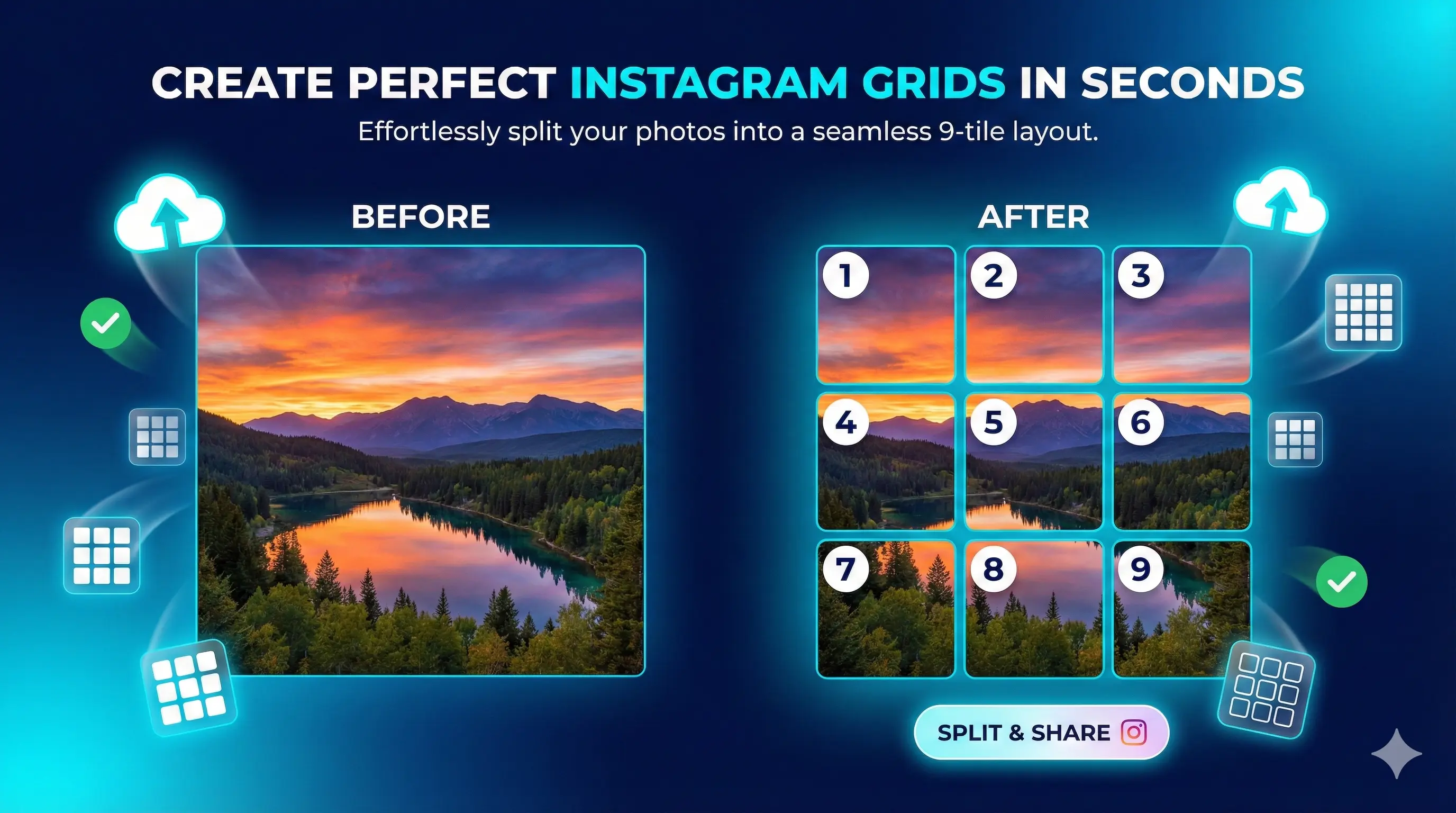
Split Images for
Perfect Instagram Grids
Transform your photos into stunning grid posts and carousels with our free Instagram image splitter. Optimized for Instagram’s 4:5 ratio. No watermarks, no signup—just instant results.
Welcome to the most powerful Instagram image splitter tool for 2026. Whether you’re a content creator, influencer, business owner, or photographer, our free Instagram image splitter makes it incredibly easy to create stunning multi-post grids and carousels that stop the scroll. Split any image into perfect Instagram posts in seconds—no watermarks, no signup, completely free forever.
Our Instagram image splitter supports all popular grid layouts including 3×3, 3×4, carousels, and custom sizes. Optimized for Instagram’s 2026 standards with automatic 4:5 ratio support, this tool helps you create professional-looking Instagram grids that increase engagement, drive profile visits, and build a cohesive aesthetic for your brand.
Preview Your Grid
Post these images in numerical order (1 → 2 → 3…) for the perfect Instagram grid.
Why Choose Our Instagram Image Splitter Tool?
Built specifically for Instagram content creators in 2026. Fast, free, and focused on results.
2026 Optimized
Perfectly tuned for Instagram’s 4:5 aspect ratio standard. Your posts display flawlessly without cropping.
Lightning Fast
Split images in seconds, not minutes. All processing happens instantly in your browser—no server delays.
Flexible Layouts
From 3×3 grids to custom carousels. Create any layout that matches your content strategy.
Privacy First
Your images never leave your device. Everything processes locally for complete security.
Zero Watermarks
100% clean output. No branding, no logos, no strings attached. Your content, your way.
Works Everywhere
Seamlessly responsive across all devices. Split images on your phone, tablet, or desktop.
How to Use the Instagram Image Splitter
Six simple steps to create perfect Instagram grids
Click or drag your photo into the upload zone. Supports JPG, PNG, and WebP up to 20MB.
Select 3×3 for classic grids, 1×3 for carousels, or create custom dimensions.
Use 4:5 for Instagram’s 2026 standard—optimal for mobile feeds and stories.
Click “Split Image” and watch your photo transform into Instagram-ready tiles.
Get all tiles instantly. Each image is numbered for perfect posting order.
Upload images in numerical order (1→2→3) to create your stunning grid effect.
💡 Pro Tips for Using the Instagram Image Splitter
- Use High-Resolution Images: Start with photos at least 1080px wide for sharp, professional results from our Instagram image splitter.
- Keep Focus Central: Important elements should be in the center to avoid Instagram’s edge cropping.
- Post in Order: Always upload split images sequentially (1→2→3) for proper grid alignment on your Instagram profile.
- Plan Your Aesthetic: 3×3 grids work best for profile views, carousels for storytelling. Learn more about Instagram grid strategies.
- Test Before Posting: Preview your grid layout to ensure it looks perfect on your profile.
Instagram’s 2026 Standards
Stay current with the latest Instagram image requirements
📱 4:5 Aspect Ratio (Recommended)
According to Instagram’s official blog, the 2026 algorithm prioritizes 4:5 aspect ratio (1080×1350 pixels) for feed posts. Our Instagram image splitter automatically optimizes your images for this format. This ratio:
- Occupies 20% more screen space than square posts
- Receives priority in the Explore page algorithm
- Displays without cropping on 99% of mobile devices
- Ideal for portrait content and vertical storytelling
🎯 Why Grid Posts Work in 2026
Multi-post grids have become essential for Instagram growth. Social media experts at Hootsuite confirm that grid posts:
- 3× Higher Profile Visits: Partial images in feeds drive curiosity clicks
- Algorithm Boost: Multiple engagement points signal quality content
- Professional Branding: Cohesive grids establish visual authority
- Increased Saves: Users save grid posts to view complete images later
✨ What Makes Our Instagram Image Splitter Essential
With Instagram’s evolving standards, creating perfect grids requires precision. Looking for more digital tools? Check out our free automation tools collection for content creators:
- Automatic 4:5 ratio maintenance for each tile
- Prevents Instagram’s auto-crop from destroying your design
- Ensures seamless flow when posted in sequence
- Mobile-optimized for on-the-go content creation
Frequently Asked Questions
Is this Instagram image splitter completely free?
Yes! Our Instagram image splitter is 100% free forever. No hidden costs, no watermarks, no signup required. Split unlimited images with full access to all features of our Instagram image splitter tool.
What aspect ratio should I use for Instagram in 2026?
Use 4:5 (1080×1350px) for optimal feed performance. This ratio maximizes screen space and receives priority in Instagram’s algorithm. Square (1:1) works for grid consistency, and 16:9 for landscapes.
How do I post split images correctly on Instagram?
Post the numbered tiles in order (1→2→3→4…). This ensures your grid displays correctly on your profile. You can post all at once or space them out—just maintain the sequence.
What file formats are supported?
JPG, PNG, and WebP images up to 20MB. For best results, use high-resolution photos (minimum 1080px wide).
Will there be watermarks on my images?
No watermarks ever. Your split images are completely clean—no logos, no branding, no strings attached.
Is my image data safe and private?
Absolutely. All processing happens locally in your browser. Your images never get uploaded to any server, ensuring complete privacy and security.
Can I use this for Instagram carousels?
Yes! Select 1×2 or 1×3 layouts for carousel posts. Perfect for before/after comparisons, tutorials, or multi-slide storytelling.
What’s the best grid size for maximum impact?
3×3 grids (9 posts) are most popular—they fill one complete profile screen. Use 3×4 for campaigns or 1×3 for carousels.
Does this work on mobile phones?
Yes! Fully responsive on all devices. Create grids directly from your phone or tablet for convenient on-the-go content creation.
Can I create custom grid dimensions?
Absolutely. Select “Custom Grid” and specify any row/column combination up to 10×10 for unique layouts.
Popular Use Cases
👥 For Content Creators & Influencers
Create scroll-stopping profile grids that tell compelling visual stories using our Instagram image splitter. Use 3×3 or 3×4 layouts for product launches, behind-the-scenes sequences, or aesthetic feed designs that dramatically increase follower engagement. Want to automate your workflow? Explore our collection of automation tools for social media.
🏢 For Businesses & Brands
Showcase products across multiple posts, design announcement campaigns, or create promotional grids that command attention and drive conversions through strategic visual storytelling with our free Instagram image splitter tool.
📸 For Photographers & Artists
Display portfolios in stunning panoramic views using 3×1 or 3×2 layouts. Perfect for landscape photography, art showcases, or creative presentations that make your work impossible to ignore.
🎉 For Event Marketing
Transform event posters, concert lineups, or festival schedules into multi-post grids that encourage profile visits and dramatically increase event awareness and ticket sales.
🛍️ For E-Commerce
Create product collages, detailed size guides, or compelling before/after transformations. Ideal for fashion brands, beauty products, and home decor showcasing. Need more business tools? Visit our homepage for additional free resources.